A host's checklist for sharing event photos without the chaos
A practical before, during and after checklist for hosts who want every guest to get their event photos quickly and privately.
Most hosts think about photography in terms of the shoot. Which photographer, which package, how many hours. Very few think about what happens after, which is a pity, because that's the part guests actually experience.
Here's a short checklist we'd give any host, whether it's a wedding, a birthday or a company offsite. None of it is complicated. It's mostly about doing a few small things early.
Before the event
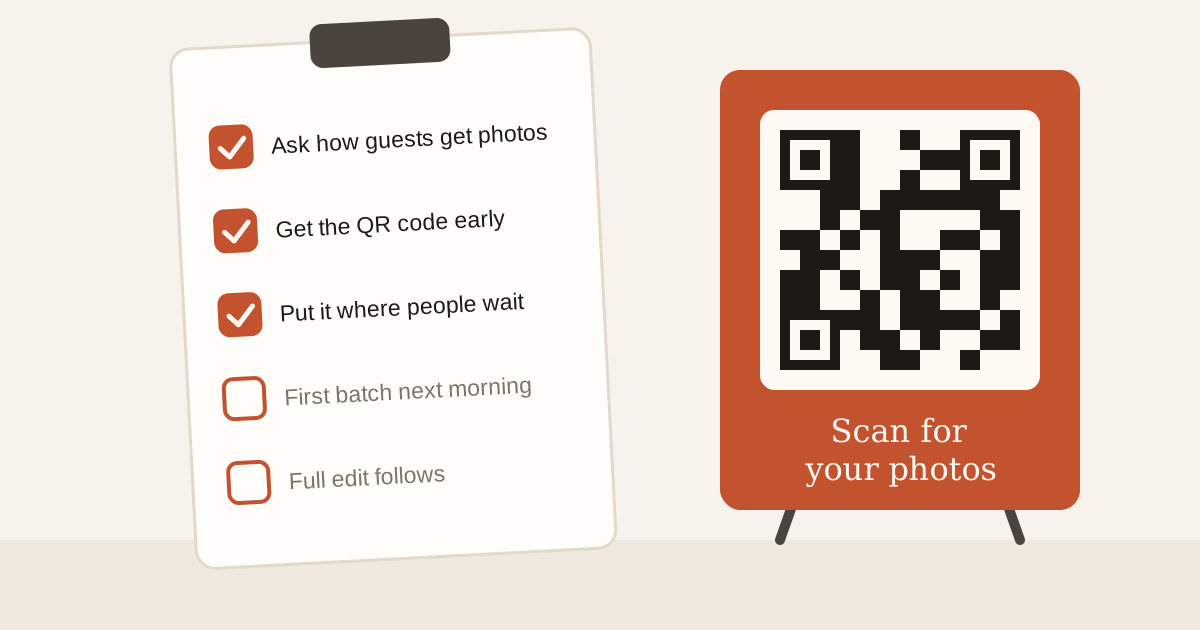
- Ask the photographer how guests will get photos. Not just you, the guests. If the answer is "we'll send you a link and you can forward it", consider asking for something better.
- Decide private or public. For weddings, family events and anything with children, private is the safer default. For open events like fests or launches, a public gallery can make sense.
- Get the invite link and QR code ahead of time. Then you can put them where guests will see them, not scramble for them on the night.
- Mention it in the invitation or the family group. One line is enough: "Scan the QR at the venue to get your photos."
At the event
- Put the QR code where people wait. The entrance, the welcome board, the bar, the dessert table. Printed standees work better than a slide nobody reads.
- Have someone help older guests. Two minutes with a younger cousin is all it takes to sign in and add selfies.
- Encourage early joining. Guests who join during the event start seeing photos as soon as the photographer uploads.
After the event
- Get a first batch out quickly. Even a small set of selects the next morning catches people while they still care.
- Let the full edit follow. Guests who have already joined get new matches automatically, so nobody needs a second link.
- Look through the whole event as host. You can see every photo, not only the ones you're in.
- Ask the photographer to tag any misses. Someone facing away from every camera might need a manual tag. It takes seconds.
- Rotate the link if it ends up somewhere it shouldn't. For public events, the old link stops working and you share the new one.
What to skip
You don't need to:
- create a shared drive folder and manage who can open it
- forward photos one by one in the family group
- sort photos into folders by person
- teach anyone a new app
The goal
The aim is simple. Every guest gets the photos they're in, in good quality, without anyone having to ask for them. If you get that right, people will remember the photos long after they've forgotten the menu.
If you're a photographer reading this, feel free to send it to your clients. And if you want to see how it works, here's how Glimpse does it.
Shooting an event soon?
Upload once and every guest gets a private gallery of the photos they're in.